Logo Mockup on Debossed Effect: A Practical Guide for Designers and Brand Owners
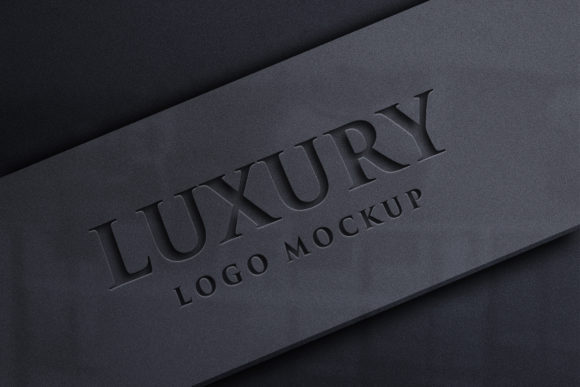
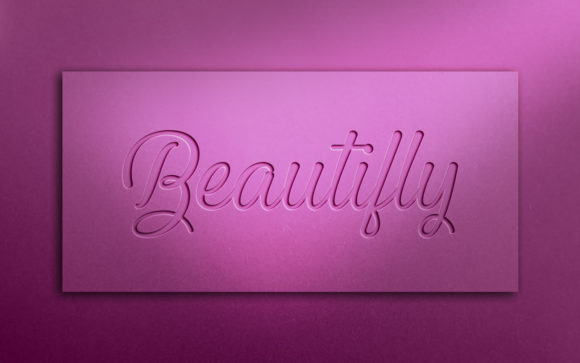
The Logo Mockup on Debossed Effect is a specialized design tool that allows users to visualize their logos or branding in a realistic, embossed or debossed format. This type of mockup is particularly useful when you want to show how your logo would look if it were subtly impressed into a surface—like leather, fabric, or metal. The key distinction of this mockup lies in its ability to simulate the tactile and visual depth of a debossed effect without requiring advanced design skills.
Understanding the Debossed Effect in Logo Mockups
A debossed effect involves pressing an image or text into a material so that it appears sunken rather than raised. In contrast, an embossed effect raises the design above the surface. When applied to logo mockups, the debossed style can give a sense of sophistication and subtlety, making it ideal for luxury brands, high-end products, or minimalist aesthetics.
The Logo Mockup on Debossed Effect typically comes as a layered Photoshop file (.PSD), which includes all the elements needed to create a lifelike representation of your logo on a textured background. It uses smart objects and layer styles to ensure that any changes you make are automatically adjusted to maintain realism in lighting, shadows, and angles.
Key Features of Logo Mockup on Debossed Effect
- High Quality 3D Realistic: Offers a visually accurate preview of how your logo will appear once physically debossed onto materials like leather, wood, or metal.
- Smart Object Replacement: Allows users to easily replace the placeholder logo with their own by simply dragging and dropping the new artwork into the designated smart object layer.
- Very Easy to Edit: Designed for efficiency, even those with minimal Photoshop experience can customize the mockup quickly and effectively.
- 100% Editable: Every element in the mockup is customizable, including colors, textures, and backgrounds, giving designers full creative control.
- No Skill Requirement: The mockup is structured to be user-friendly, eliminating the need for complex editing techniques or professional graphic design knowledge.
- Fully Layered and Organized: Layers are neatly categorized into folders, making navigation and modification straightforward and intuitive.
- Resolution Ready: Comes in a high-resolution format of 3600 x 2400 pixels at 300 DPI, ensuring crisp and clear output suitable for both digital and print use.
How Logo Mockup on Debossed Effect Compares to Other Mockup Types
When comparing the Logo Mockup on Debossed Effect to other types of logo mockups, such as flat, embossed, or printed-on-materials designs, several differences emerge based on purpose, realism, and ease of use.
Flat Mockups: These are the most basic and widely used. They display the logo without any special effects or textures. While they are quick to produce and suitable for general presentations, they lack the dimensional appeal of more advanced mockups.
Embossed Mockups: Similar to debossed versions, these highlight the raised appearance of a logo on a surface. They’re great for showcasing metallic or reflective finishes but may not convey the same understated elegance as debossed options.
Printed-on-Materials Mockups: These often involve placing the logo on a simulated fabric, paper, or product surface. They’re excellent for showing color vibrancy and texture interaction, but may not replicate the subtle indentation that a debossed effect provides.
The Debossed Effect Logo Mockup stands out due to its focus on mimicking the physical impression of a logo into a material. It’s especially suited for industries where branding needs to reflect quality and craftsmanship, such as fashion, automotive, or premium packaging.
Strengths and Tradeoffs of Using Logo Mockup on Debossed Effect
One of the main strengths of the Logo Mockup on Debossed Effect is its realism. The lighting and shadow effects are carefully crafted to mirror how light interacts with a real-world debossed surface. This helps stakeholders get a clearer idea of how the final product will look before committing to production.
Another advantage is its flexibility. With smart object integration, users can effortlessly swap out logos or adjust text without worrying about distorting the overall design. The organized layers also allow for fine-tuning details like background textures or lighting intensity.
However, there are some tradeoffs. For instance, while it's designed for simplicity, the realism of the debossed effect does require a baseline understanding of Photoshop tools to unlock its full potential. Users who are unfamiliar with smart objects or layer adjustments might find the process slightly overwhelming, though tutorials and guides are usually available.
Additionally, since the mockup simulates a physical effect, it may not always translate perfectly to actual production. Factors like material thickness, printing methods, and environmental conditions can affect the real-life outcome. Therefore, it’s best used as a visual guide rather than a definitive prototype.
Best-Fit Situations for Logo Mockup on Debossed Effect
- Luxury Branding: Perfect for displaying logos on high-end items like wallets, watches, or leather goods where a subtle, elegant finish is desired.
- Product Packaging: Ideal for packaging concepts that include debossed labels or brand names, helping to visualize how branding integrates with the product form.
- Corporate Identity Presentations: Useful when presenting corporate branding ideas to clients or stakeholders, offering a realistic touch without needing physical samples.
- Marketing Materials: Can be used in brochures, websites, or promotional content to showcase a brand’s attention to detail and refined aesthetic.
Limitations and Considerations
Despite its advantages, the Logo Mockup on Debossed Effect isn’t universally applicable. Here are a few limitations and considerations to keep in mind:
- Material Constraints: The mockup is optimized for certain materials. If your project involves a unique surface like rubber or glass, additional customization may be required.
- Software Dependency: To take full advantage of the mockup’s features, you’ll need Adobe Photoshop. While alternatives exist, they may not support smart objects or layered edits as seamlessly.
- Time for Customization: Though easy to edit, achieving the perfect look might still require some time to adjust lighting, shadows, or textures depending on the complexity of the design.
- Cost vs. Value: Depending on the source, these mockups can vary in price. However, considering the time saved and the professional results they offer, many find them a cost-effective solution.
Alternatives to Logo Mockup on Debossed Effect
If the Logo Mockup on Debossed Effect doesn’t suit your specific needs, there are several viable alternatives worth considering:
1. Embossed Logo Mockups
These mockups simulate a raised logo effect, often used to show metallic or glossy finishes. They are appropriate when you want the logo to stand out boldly rather than blend into the surface. While they share similar features like smart object replacement and layered organization, the visual impact differs significantly from debossed mockups.
2. Vector-Based Mockups
Vector-based mockups offer scalability and clean lines, making them ideal for digital applications or screen-based presentations. They don’t provide the same level of texture realism as Photoshop-based debossed mockups but are easier to scale and integrate across different media platforms.
3. Pre-Rendered 3D Mockups
Some services provide fully rendered 3D mockups that can be viewed from multiple angles. These are highly realistic and often come in video or animated formats. However, they are less customizable and may require specific software or plugins to modify.
4. Online Mockup Generators
For users who prefer a no-software-required approach, online mockup generators can be a good alternative. These platforms allow you to upload your logo and choose from various templates. While convenient, they generally lack the depth and control offered by a .PSD-based debossed mockup.
When to Choose Logo Mockup on Debossed Effect
Opt for the Logo Mockup on Debossed Effect when you need a realistic yet editable visual that conveys a sense of quality and refinement. It’s particularly well-suited for:
- Designers working on branding for luxury goods or artisanal products.
- Marketers wanting to present high-quality visuals to clients or investors.
- Entrepreneurs developing packaging or product designs with physical branding elements.
Realistic examples include using the mockup to show a brand name debossed on a leather jacket label or displayed on a metal plaque for a boutique storefront. These scenarios benefit greatly from the nuanced presentation that this mockup offers.
When Another Option Might Be Better
While the Logo Mockup on Debossed Effect is powerful, it may not be the best choice in every situation. Consider another option if:
- You need a mockup that works across multiple software platforms without Photoshop.
- Your design requires frequent updates or iterations beyond what a static mockup can handle.
- You're targeting a budget-conscious audience where simpler, faster mockups are sufficient.
- You're designing for digital-only use cases where physical impressions aren’t relevant.
In such instances, vector-based designs, flat mockups, or online tools may serve better, especially if speed and accessibility are priorities over intricate realism.
Conclusion and Decision Factors
Ultimately, the decision to use the Logo Mockup on Debossed Effect depends on your project goals, target audience, and the level of detail you wish to communicate. It excels in situations where physical branding is part of the identity, and a polished, professional look is essential.
Before choosing, evaluate factors such as the intended use of the mockup, the materials involved, and whether the end-users will value the added realism. Also consider your workflow and whether you have access to Photoshop or prefer a more streamlined digital editing process.
By weighing these aspects, you can determine whether the Logo Mockup on Debossed Effect is the right fit for your next branding project—or if another approach will better meet your needs.