Debossed Effect Logo Mockup: A Practical Tool for Realistic Design Presentations
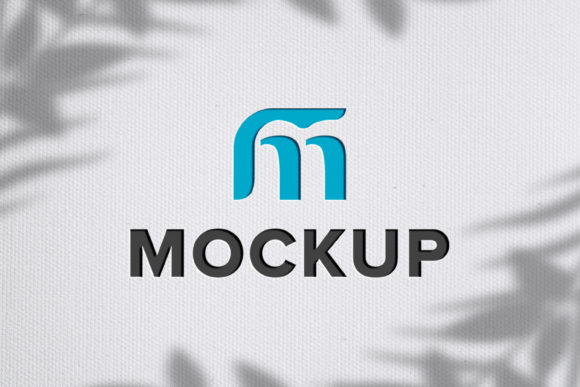
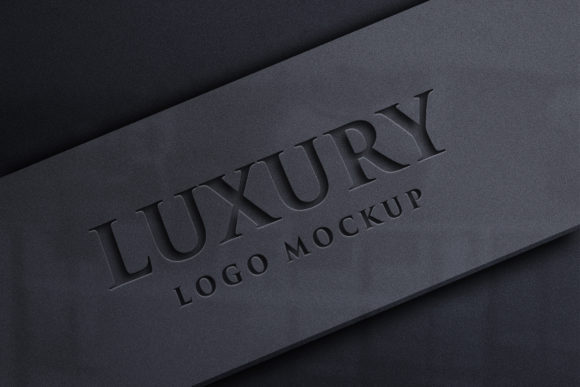
When you're ready to showcase your brand's identity, a debossed effect logo mockup can be a powerful visual tool. This type of mockup simulates a subtle indentation or imprint of your logo on a surface, giving it the appearance of being professionally applied in real life. Unlike flat or overly glossy representations, a debossed effect adds depth and sophistication, making your design feel tangible and refined.
Who Uses Debossed Effect Logo Mockups?
The beauty of a debossed effect logo mockup lies in its versatility. It’s not just for graphic designers — anyone who needs to present logos in a realistic context can benefit from it. Here are some common users:
- Brand Owners and Entrepreneurs: When launching a new product or rebranding an existing one, showing how the logo will appear on packaging or promotional materials is crucial. A debossed effect makes the logo look like it was professionally stamped onto the item.
- Marketing Agencies: These agencies often create proposals or presentations that include mockups of logos on various surfaces. The debossed style gives clients a clear idea of how branding elements will integrate into physical products.
- Print Shops and Packaging Designers: Before sending a client’s design to production, they need to visualize how it’ll look once printed. A debossed effect helps them show off embossing techniques without having to print a sample first.
- E-commerce Businesses: Online retailers use these mockups to display product branding on their websites. It builds trust by showing customers exactly what the product will look like before purchase.
Real-World Applications
Let’s take a closer look at some scenarios where a debossed effect logo mockup comes in handy:
Product Packaging for Apparel Brands
Imagine you’re an apparel designer working on a line of premium leather jackets. You want your brand name to stand out subtly but elegantly. Using a debossed effect logo mockup allows you to see how your logo would look if it were pressed into the leather itself. This helps you decide whether to go with a metallic foil finish or keep it understated with a debossed technique.
Promotional Items for Corporate Events
Companies often order custom-branded items like pens, notebooks, or keychains for conferences and trade shows. A debossed effect logo mockup lets you preview how your logo will appear when engraved or imprinted onto these items. This ensures your branding maintains a professional look across all materials.
Luxury Branding on Stationery and Boxes
Luxury brands rely heavily on visual cues to communicate quality and exclusivity. Whether it's a business card, envelope, or product box, a debossed logo can make a big difference. With the right mockup, you can simulate this effect on different paper textures and colors, helping you choose the best combination for your brand's aesthetic.
Logo Integration on Furniture and Accessories
For furniture or accessory manufacturers, placing a brand mark on a wooden plaque, leather bag, or even a ceramic mug can enhance perceived value. A debossed effect logo mockup enables you to experiment with placement and size before finalizing the design for production.
Why Choose a Smart Object-Based Mockup?
One of the standout features of many debossed effect logo mockups is the use of smart objects in Photoshop. This means instead of manually adjusting layers or redrawing parts of the design, you simply replace the placeholder with your own logo or text. The system automatically applies the correct lighting, shadows, and angles to maintain realism.
This is especially useful for those who aren’t familiar with advanced Photoshop techniques. You don’t need to know about layer styles or blending modes — just drop in your design and watch it come to life with minimal effort.
What to Consider Before Using a Debossed Logo Mockup
While a debossed effect logo mockup is incredibly useful, there are a few things to think about before diving in:
- Design Readability: Because the effect mimics a physical indentation, ensure your logo remains legible. Avoid using very small fonts or intricate details that might get lost in the simulated texture.
- Surface Type: Not every surface looks good with a debossed effect. Matte finishes work well, while glossy or reflective ones may require a different approach. Always consider the material your logo will eventually appear on.
- Color Contrast: Since the mockup relies on shadow and light to create depth, color contrast between the logo and background is important. Test your logo on multiple background shades to ensure visibility.
- Mockup Quality: Look for high-resolution mockups (like those at 3600 x 2400 pixels, 300 DPI) to ensure clarity and professionalism. Low-quality images can ruin the realism you're aiming for.
How to Use a Debossed Effect Logo Mockup
If you’ve ever struggled with editing complex mockups, you’ll appreciate the simplicity of smart object-based templates. Here’s how it works in practice:
- Open the provided PSD file in Adobe Photoshop.
- Locate the smart object layer — typically labeled as “Replace Your Logo” or something similar.
- Double-click the smart object to open it, then delete the placeholder image and insert your logo, text, or design.
- Save and close the smart object. Photoshop automatically updates the mockup with your design, applying the debossed lighting and shadow effects instantly.
This process is quick, intuitive, and requires no prior experience with photo editing software. It’s ideal for entrepreneurs, small business owners, or marketing teams looking to create professional visuals without hiring a designer.
Industries That Benefit Most
Although the debossed effect logo mockup is widely applicable, certain industries gain more value from it due to their emphasis on tactile branding:
- Luxury Fashion: High-end fashion labels often use debossed logos on tags, hangers, and fabric patches. A mockup helps visualize how these will look before production.
- Interior Design and Furniture: From branded cushions to engraved mirrors, the debossed effect can be used creatively to represent how logos will be integrated into home goods.
- Stationery and Paper Products: Business cards, letterheads, and envelopes are perfect for showcasing debossed logos. The mockup allows you to test different font styles and positions easily.
- Cosmetics and Skincare: Elegant packaging is essential in this industry. A debossed logo on a lipstick case or serum bottle conveys class and attention to detail.
Strengths and Limitations
There are clear advantages to using a debossed effect logo mockup, but also some limitations to keep in mind:
Strengths
- Realism: The lighting and shadow effects mimic actual debossing techniques, giving your design a lifelike touch.
- Time Efficiency: With smart object replacement, you can update designs in seconds rather than spending hours on manual edits.
- Professional Appearance: Even if you’re not a designer, the mockup produces polished results suitable for client presentations or social media campaigns.
- Customization: Fully layered files allow for easy tweaks to color, position, or background, offering flexibility for creative experimentation.
Potential Limitations
- Software Dependency: To edit the PSD version, you’ll need Adobe Photoshop. If you don’t have access, the JPEG output is still useful but less flexible.
- Texture Restrictions: While the mockup handles most surfaces well, highly textured or patterned backgrounds might reduce the effectiveness of the debossed illusion.
- Learning Curve for Advanced Edits: Although basic changes are simple, modifying the lighting or angle beyond the smart object setup may require some design knowledge.
Getting Started with Your Own Mockup
Creating a debossed effect logo mockup is straightforward, especially with tools designed for ease of use. A typical package includes both a fully editable .PSD file and a high-quality .JPEG preview, ensuring you can share your work quickly or tweak it further if needed.
Here’s a quick checklist to help you begin:
- Ensure your logo is in a transparent background format (e.g., PNG).
- Use a consistent color scheme with the mockup’s background for cohesive branding.
- Test your design on multiple mockup variations to find the best match for your project.
- Export in high resolution for print or web use as required.
Final Thoughts on Workflow and Creativity
Whether you're a seasoned designer or someone managing branding for a growing business, a debossed effect logo mockup streamlines your workflow and enhances your presentation. It bridges the gap between digital design and physical application, allowing you to make informed decisions without costly prototypes.
By focusing on practical use cases and leveraging smart object technology, you can create compelling visuals that reflect your brand’s values and aesthetics accurately. As long as you consider the surface, contrast, and readability of your logo, this tool can become a staple in your creative arsenal.