Creating a Professional Look with Luxury Blue Paper Debossed Logo Mockups
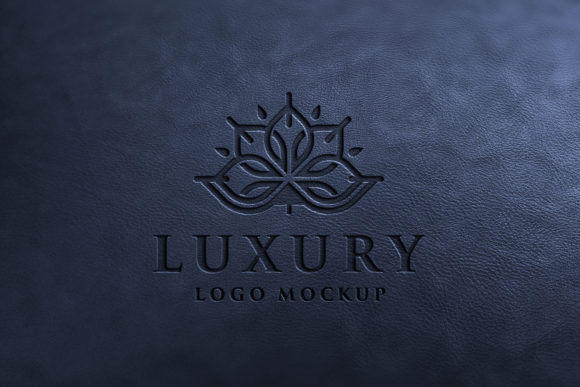
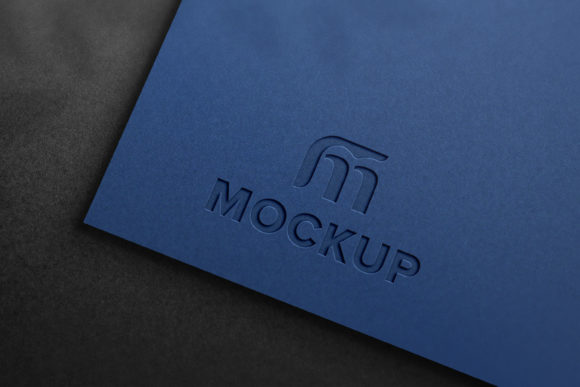
In the world of branding and design, first impressions matter. Whether you're launching a new business or rebranding an existing one, your logo is often the face of your company. Presenting it in a high-quality, realistic format can significantly enhance its perceived value and professionalism. One excellent tool for achieving this is the Luxury Blue Paper Debossed Logo Mockup, which allows you to showcase your logo on elegant blue paper with a debossed effect that adds depth and sophistication.
What Is a Debossed Logo?
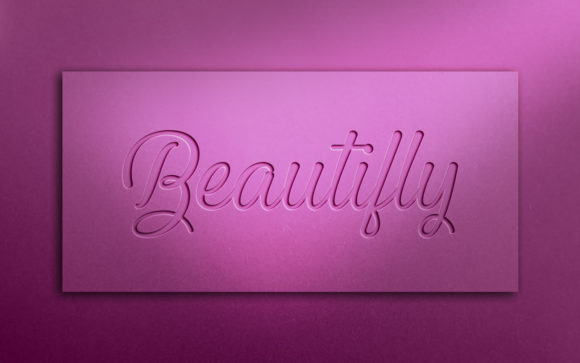
A debossed logo is one that appears as if it has been pressed into the surface of the material rather than raised above it. This technique gives the logo a subtle, refined look, making it ideal for luxury brands, corporate identities, and high-end products. The debossing process involves carving the design into the surface of the paper, leather, or other materials, resulting in a tactile and visual impression that stands out without being overly flashy.
The luxury blue paper debossed logo mockup simulates this effect digitally, allowing designers and business owners to visualize how their logo would look when professionally printed on such materials. It’s especially useful for presentations, proposals, and marketing materials where realism is key.
Why Use a Luxury Blue Paper Debossed Logo Mockup?
- Professional Presentation: A debossed logo on blue paper conveys elegance and class, which are essential for businesses aiming to project a premium image.
- Easy Customization: These mockups are designed with smart objects, enabling users to replace the placeholder logo with their own effortlessly.
- Realistic Visuals: The lighting, shadows, and textures are carefully crafted to mimic real-world conditions, ensuring your design looks authentic and polished.
- Versatile Application: Ideal for portfolios, client pitches, product packaging, or even invitations, these mockups help present logos in various contexts.
Understanding Smart Objects in Photoshop
To make the most out of a Luxury Blue Paper Debossed Logo Mockup, it's important to understand what smart objects are in Adobe Photoshop. A smart object is a container that holds one or more layers and preserves the source content of the artwork at a high quality, regardless of any transformations applied. This means you can scale, rotate, or apply filters without losing resolution or detail.
In the context of a logo mockup, smart objects allow you to insert your logo into a pre-designed template while maintaining clarity and precision. There’s no need for advanced Photoshop skills—just replace the placeholder and let the software handle the rest.
Key Features of the Luxury Blue Paper Debossed Logo Mockup
- High-Quality 3D Realism: The mockup is crafted with attention to every detail, from the texture of the paper to the soft embossing effect. This ensures your logo doesn’t just look good—it looks professional and market-ready.
- Smart Object Replacement: Easily swap out the sample logo with your own by double-clicking the smart object layer. This makes editing quick and intuitive, even for those new to Photoshop.
- Very Easy to Edit: With all elements accessible and editable, you can tweak colors, fonts, or add additional text to match your brand identity perfectly.
- 100% Editable: Every component of the mockup is customizable, giving you full control over the final output. You can adjust lighting, shadows, or background as needed.
- No Skill Required: The mockup is user-friendly and requires no prior experience with graphic design tools. Simply open the PSD file and follow the instructions to replace your logo.
- Well-Organized Layers: All layers are neatly categorized into folders, making navigation straightforward and helping you avoid confusion during the editing process.
- Resolution & Dimensions: The mockup is provided in a high-resolution format of 3000 x 2000 pixels at 300 DPI, suitable for both print and digital use.
What’s Included in the Pack?
When you purchase the Luxury Blue Paper Debossed Logo Mockup, you receive a comprehensive package that includes:
- 1 PSD File: The layered Photoshop file offers complete flexibility for customization and manipulation.
- 1 JPEG File: A ready-to-use flat version of the mockup, perfect for sharing online or printing without further edits.
This combination ensures you have everything you need to create stunning visuals quickly and efficiently.
How to Use the Mockup: A Step-by-Step Guide
Using the Luxury Blue Paper Debossed Logo Mockup is a breeze. Here’s a simple breakdown of the steps:
- Open the PSD file in Adobe Photoshop.
- Locate the smart object layer labeled “Logo” or similar within the folder structure.
- Double-click the smart object to open it in a new window.
- Delete the placeholder image and paste your own logo or design.
- Save the changes and close the smart object window.
- Your logo will now appear in the mockup with accurate shadows and lighting effects.
This seamless integration saves time and effort, allowing you to focus on creativity rather than technicalities.
Applications and Use Cases
The Luxury Blue Paper Debossed Logo Mockup isn't just for logos—it can be used creatively across various industries and purposes. Here are some common applications:
Business Branding and Marketing
For entrepreneurs and small business owners, presenting a logo in a high-quality mockup can elevate the perception of their brand. It helps potential clients or investors see how the logo would appear on physical items like letterheads, envelopes, or brochures. The debossed style is particularly favored in corporate settings due to its understated yet luxurious appeal.
Portfolio and Showcase Materials
Graphic designers often include logo mockups in their portfolios to demonstrate their work in a realistic setting. The Luxury Blue Paper Mockup provides a clean, sophisticated backdrop that highlights the designer’s attention to detail and aesthetic sense.
Product Packaging Design
If your business involves physical products, such as stationery, fashion accessories, or luxury goods, this mockup can be used to simulate how your branding would appear on packaging. It allows you to experiment with different color schemes and layouts before committing to production.
Weddings and Event Invitations
Debossed logos on blue paper also make for elegant wedding invitations or event programs. The mockup helps planners and designers show clients how personalized details will look once printed, adding a touch of refinement to any formal occasion.
Common Misconceptions About Logo Mockups
Despite their popularity, many people still misunderstand what logo mockups are and how they can be used. Let’s clear up a few myths:
- Myth: You Need Advanced Skills to Use Mockups
Reality: Most modern mockups, including the Luxury Blue Paper Debossed Logo Mockup, are designed to be beginner-friendly. They come with detailed instructions and smart object layers to simplify the editing process. - Myth: Mockups Are Only for Digital Use
Reality: While they are commonly used online, high-resolution mockups are also suitable for print. The 300 DPI resolution ensures sharp and clear outputs whether displayed on screen or in physical form. - Myth: Mockups Don’t Add Value to a Logo
Reality: A well-crafted mockup can drastically improve the visual impact of a logo, making it easier to communicate brand values and aesthetics to stakeholders or customers.
Benefits for Creative Professionals and Businesses
Whether you’re a freelancer or part of a creative team, using a mockup like the Luxury Blue Paper Debossed Logo Mockup offers several advantages:
- Time-Saving: Instead of building a realistic scene from scratch, you can use the mockup to instantly visualize your design in context.
- Consistency: Mockups ensure that your logo is presented consistently across all platforms, reinforcing brand recognition.
- Client Approval: Showing a logo on a realistic background increases the chances of client approval, as it demonstrates how the design will function in real life.
- Cost-Effective: Avoid expensive photo shoots by using digital mockups to test designs before finalizing them.
Why Choose Blue Paper for Your Logo?
Blue is a powerful color associated with trust, stability, and professionalism. When paired with the debossed effect, it creates a timeless and elegant presentation. Using blue paper in your mockup can help convey the following:
- Creativity and Innovation: Lighter shades of blue suggest openness and imagination, while darker blues reflect authority and dependability.
- Luxury and Sophistication: High-quality blue paper is often used in premium branding and stationery, aligning well with upscale markets.
- Contrast and Clarity: Depending on the logo color, blue can offer a strong contrast, making the design stand out more effectively.
Additionally, the texture and sheen of blue paper can vary depending on the mockup, allowing you to choose between matte, glossy, or metallic finishes based on your brand's personality.
Best Practices for Using Logo Mockups
While logo mockups are convenient tools, there are best practices to keep in mind to maximize their effectiveness:
- Keep It Simple: Avoid cluttering the design. The goal is to highlight the logo, not distract from it.
- Maintain Consistency: Ensure your logo matches the overall branding guidelines, including color schemes and typography.
- Use Realistic Lighting: Make sure the lighting in the mockup complements your logo’s colors and doesn’t wash it out.
- Test Different Sizes: Try scaling your logo up or down to see how it looks in various formats, from business cards to billboards.
- Share Responsibly: Always credit the mockup creator when distributing or publishing the final design, especially if it was purchased from a marketplace or website.
Conclusion
The Luxury Blue Paper Debossed Logo Mockup is more than just a design asset—it's a powerful tool that enhances the way logos are presented and perceived. By offering a realistic, high-quality environment for your logo, it helps you create compelling visuals that resonate with clients, customers, and stakeholders alike.
With features like smart object replacement, fully editable layers, and an organized folder system, it caters to both beginners and seasoned professionals. Its versatility across industries—from corporate branding to event design—makes it an invaluable addition to any designer’s toolkit.
So whether you're looking to impress a client with a polished portfolio or simply want to visualize your logo on a premium medium, the Luxury Blue Paper Debossed Logo Mockup delivers results that are as professional as they are beautiful.